

Computer repair
Slow PCs, viruses, failed drives, upgrades and data recovery. Most fixes are done the same or next day, with a straight answer on whether it’s worth repairing.
Text me about your computer problems →
Based in Seymour, right between Knoxville and Sevierville
Computers, networks, phones and websites that just work, plus practical AI that brings in more business and hands you back hours every week. No jargon, flat-rate quotes, and a real person you can call.
 You’ll talk to me, Steve Hurst, from the first call to the last fix.
Computer, network, phone, website and AI services
Most small businesses juggle a web designer, a computer guy, a phone company and a marketing agency. With me it’s one number for your website, phones, computers and AI. Prices are starting points; every job gets a flat-rate quote first.
Slow PCs, viruses, failed drives, upgrades and data recovery. Most fixes are done the same or next day, with a straight answer on whether it’s worth repairing.
Text me about your computer problems →
Workstations, Wi-Fi that reaches every corner, firewalls, backups, cybersecurity basics, and business phone systems with call queues and AI answering.
Ask about office equipment and systems →
Fast, mobile-first sites built to turn visitors into calls, including a one-page starter site in 7 days. Local SEO, Google Business Profile, and content that shows up in Google and in AI answers.
Ask about a website for your business →Websites starting at $500

AI phone agents, website chat assistants, instant replies and follow-up for every inquiry, AI-written posts and reports, and private AI that runs on your own computer when the data is sensitive.
Ask what AI could do for your business →Starting at $1,999

Make the software you already pay for actually work: cleanup, custom workflows, and integrations between your CRM, field-service app and QuickBooks Online or other accounting software.
Ask about your software and CRM →Starting at $999
When off-the-shelf software doesn’t fit, I build the tool that does: dispatch boards, staff and customer portals, field apps that work offline, territory maps, inventory scanners, booking systems, POS add-ons, and the APIs that tie them together.
Tell me about the app you need →Custom quote
Text me a photo of the problem, a link to your website, or just what’s frustrating you. You’ll get a free, honest answer, even if the answer is “don’t spend money on that.”
Save my number for the next time something breaks →Small-business IT support in Knoxville & Sevierville
Your business runs on computers, Wi-Fi, email, phones and backups. I handle all of it, from a slow laptop to a full office network, and keep it secure, backed up and running so you can stop thinking about it. It’s also the solid ground any AI tools need to stand on.
Updates, patching, monitoring and a help desk that’s me. Priority response for care-plan clients.
Multi-factor sign-in, endpoint protection, firewalls, phishing defense, security checkups and ransomware recovery.
Automatic local and cloud backups, restores that are actually tested, and data recovery when a drive dies.
Setup, migrations, shared files, licensing cleanup, and business email that lands in the inbox (SPF, DKIM, DMARC).
Business Wi-Fi that reaches every room, guest networks, firewalls and secure remote access for working from home.
New PC setup, upgrades, printers and scanners, and straight advice on what to buy so you don’t overpay.
Cloud VoIP systems like 3CX and others: call queues, menus, voicemail-to-email, call tracking and AI answering.
Windows and Linux servers, VPS hosting, domains, DNS and SSL, hardened and backed up.
Internet, network, desks, printers, phones and accounts, all coordinated so you open on day one.
Computers, tablets, phones, email and logins ready to go on a new employee’s first day.
Who can get into what: roles, two-step sign-in, password resets, and access switched off the day someone leaves.
Updates, backups and security patches for the site you already have, plus faster load times and fixes for broken links and forms.
You approve one flat price before I start, and that’s what you pay. If I find something that changes the job, you hear about it first.
If I’m on a job, text or leave a message. I return every one myself and tell you straight when I can be there.
Domains, accounts, passwords, software and data are set up in your name, documented and handed over. No lock-in, ever.

I’m the person businesses call when the computer won’t start, the website isn’t bringing in work, or the software they paid for doesn’t talk to anything else. Lately most of those calls end the same way: “Could AI do this for us?” Very often, it can.
I’m a one-person shop on purpose. You deal with me from the first call to the last fix, I explain things the way I’d explain them to a friend, and I treat your money like it’s mine. If a quick fix solves it, you won’t hear about a $5,000 project.
I’m based in Seymour, right between Knoxville and Sevierville, and work on-site across Knox, Sevier and Blount counties: Knoxville, Sevierville, Pigeon Forge, Gatlinburg, Kodak, Maryville, Alcoa, Farragut, Powell, Oak Ridge, Lenoir City, Dandridge and Townsend. Software, website and AI work is done remotely, so you’re not waiting on a drive.
 As an IONOS Agency Partner I can also get clients business-grade hosting, domains and email at partner pricing.
Real projects · client names kept private
Systems I’ve built for East Tennessee businesses, most of them in daily use. Each one can be set up for yours.
See it working
A booking from the AI receptionist, the website or the field app drops into the right time block on its own. Job status flows in from the field-service software, so nobody calls around to ask where a tech is.
Field staff capture a lead and book the appointment on their phone, even in a dead zone. The moment the signal is back it lands in the CRM and on the office board, and a backup copy is kept in case anything fails.
Every Monday the numbers are pulled from the CRM, the phones, the ad accounts and the field-service software, checked against each other, and turned into a branded PDF. Nobody builds a spreadsheet.
Live demos with made-up data for a pretend company. Real client screens stay private; I’ll walk you through them on a call.
Call queues, ring groups, after-hours routing and voicemail-to-email, plus a separate tracking number for every ad source, so the call reports show exactly which marketing makes the phone ring.
Picks up the company’s main number in a natural, upbeat voice, day or night. It knows the services, hours and service area, sorts callers by what they need, routes them to the right queue or takes a detailed message, and logs every call for reporting. New voicemail greetings are produced in a matching AI voice.
Jobs and invoices flow from field-service software into QuickBooks Online on their own, with checks that catch $0 invoices, missing customers and mismatched totals before they ever reach the books. Works the same way with Xero and other accounting software.
An appointment booked in the field lands in the CRM as scheduled, which creates the job in the field-service software with the right date, time and lead source. Nobody retypes it, and a failed hand-off retries until it goes through.
A live, color-coded scheduling board the whole office runs the day from, with time blocks and manager controls, plus a portal where customers check their own appointment instead of calling to ask. Each appointment shows its job status from the field-service software, and every setter’s call count comes straight from the phone system.
An installable app for field staff on any phone or tablet: run customer surveys, capture new leads and book appointments straight onto the office board, even offline. Everything syncs to the CRM, and a backup copy of every lead is kept in case a connection fails.
One sign-in for about 40 office and field staff, with separate roles for admins, area managers and field teams, authenticator-app security for managers, and people, locations, hours and reports managed in one place.
Service zones drawn over more than 1,500 ZIP code outlines across two states. Drag a border, save, and every schedule and list that depends on it updates.
New versions of a custom system install from an admin screen in seconds, are digitally signed so only genuine releases can run, and roll back with one click. About 25 updates shipped in the first two weeks.
A phone-friendly scanner app for the stockroom: scan items in and out, print barcode labels, and see live stock counts and exportable reports. Nobody counts shelves by hand anymore.
A retail point of sale with sales and tax reporting, plus online liability waivers guests sign on their phones before they arrive, for a popular tourist resort.
Every Monday, sales, staff performance, results by location and the marketing numbers are pulled from the CRM, phones and ad accounts and turned into branded, print-ready PDFs before anyone gets to the office. A daily call report does the same for the phone team.
One organized knowledge base of procedures, prices and history with several AI models wired in. It runs about 30 recurring jobs, from weekly reports and ad swaps to website updates and phone-system changes, from step-by-step playbooks, and checks with the owner before anything goes out.
QR codes and follow-up texts that ask happy customers for a review, a dashboard that flags every new one, and AI-drafted replies in the company’s voice that the owner approves before they post.
Instant-form ads send new inquiries straight into the CRM. Every Monday the weakest ad is swapped for a fresh one, and a scheduled calendar of posts and ad graphics keeps the page active without anyone babysitting it.
Ten town pages and four service hubs written around real local details, 110 thin old pages redirected so no link goes dead, 381 broken buttons fixed, and 3,419 images converted to a modern format that cut 147 MB from the site. Both Google Business Profiles were filled in with every town and service.
Web and app servers for several businesses: a backup before every update, firewalls and intrusion blocking, security certificates kept current, and a written security review with findings ranked by risk.
AI models running on a computer in the office to check and summarize customer details, so sensitive data never leaves the building and there’s no per-use fee.
A catalog of 59 portable Windows apps that install and update from one menu, with every download checksum-verified. Moving it to a new PC means copying one folder.
Installs on any phone straight from the browser, works offline, and keeps game history and stats.
Client names stay private. On a call I’m happy to walk you through how any of these work.
Tell me what’s eating your time or costing you money. You’ll get a straight answer on what’s worth doing, and what isn’t.
What I’ll set up, what it should save or earn you, and one flat price. You decide before anything starts.
Setup, testing and hands-on training. You get in-person help along with custom, detailed documentation, not a thick manual that adds to the confusion.
Sales, calls, hours saved. If something can work harder, I tune it. I’m a call or a text away. Save my contact
You don’t need to learn the buzzwords. Tell me what’s costing you time or money, and I’ll match it to a tool that fixes it. The technical name is there too, so you’ll recognize it when you hear it.
“We miss calls when we’re on a job or after five.”
An AI phone agent picks up every call in a natural voice, answers common questions, books the appointment or takes the details, and adds the caller to your CRM and calendar right away.
AI voice agent · AI receptionist“New inquiries sit for a day before anyone follows up.”
Every new lead from your website, Facebook or Google gets a personal text and email within a minute, lands in your CRM, and your team gets reminders until it’s closed.
Lead nurture automation · CRM workflow“I’m spending money on ads and can’t tell what’s working.”
Tracking phone numbers and links for each ad, then a weekly report that shows calls, inquiries, sales and cost per sale by channel, so you can cut what isn’t paying.
Call tracking · Attribution · KPI dashboard“Posting on Facebook every week takes forever.”
AI drafts weeks or even months of posts and ad ideas in your voice, your agent schedules the posts and ads, and the weakest ads get swapped out each week for fresh ones.
AI content calendar · Ad automation“We’ve got happy customers but hardly any Google reviews.”
Automatic review requests after every job, a dashboard that flags new reviews, and AI-drafted replies you approve with one tap. More reviews usually means more calls from Google.
Reputation management · Google Business Profile“My office types the same info into three different programs.”
Your CRM, scheduling software and accounting software (QuickBooks Online, Xero or whatever you use) get connected, so a customer, job or invoice is entered once and shows up everywhere it should.
API integration · Zapier · Make.com“Customers ask the same ten questions all day.”
A chat assistant on your website trained on your services, prices, hours and policies. It answers instantly, day or night, and hands ready-to-buy customers to you.
AI chatbot · Answers from your own info (RAG)“I don’t really know what my competitors are charging or doing.”
An AI agent researches who ranks above you, their pricing and offers, their reviews, and even their advertising and marketing: which ads they’re running, where, and what they’re promoting. You get a short report with an action list.
Competitor research · Ad & marketing intelligence“Half our inquiries are junk, and they eat up the sales team’s day.”
AI screens and scores each lead before anyone picks up the phone, checking that the name, address and phone number are real, so your best people spend time on the best leads.
Lead scoring · AI verification“Monday mornings are spent building reports by hand.”
Reports that build themselves from your CRM, phones and ad accounts: sales, where customers come from, staff performance, delivered as a clean PDF you can print.
Automated reporting · Business intelligenceDemo call
A demo call for a company called Firefly Heating & Air. The receptionist is AI. Yours would know your services, prices, hours, qualifying questions, policies and calendar, and answer in your company’s voice.
0:00 / 1:12
What happens next, automatically: Dan is added to your CRM, and the job is scheduled on your calendar for 8 a.m., ready to dispatch. Dispatching can be automated too: the right technician, the best route, and an automatic on-the-way heads-up to the customer.
Thanks for calling Firefly Heating and Air, this is Ava! How can I help you today?
Hey, yeah. My heat pump's blowing cold air, and it's supposed to get down to thirty tonight.
Oh no, that's no fun on a cold night. I can definitely help with that! Is this for a home you own, or a rental property?
It's my house. I own it.
Perfect. And what's the address where the unit is?
412 Maple Lane, in Seymour.
Great, Seymour's right in our service area. Is the system making any unusual noises, or is it just blowing cold air?
Just cold air. The fan's running fine.
Okay! So I've got two options for you. We can send someone out tonight as an after-hours emergency, which has a $129 trip fee, or I have an opening tomorrow morning at eight with no extra charge. Which works better for you?
Tomorrow at eight is fine.
You got it! You're booked for tomorrow at eight a.m. Can I grab your name, and is this the best number for a text confirmation?
Dan Miller. And yeah, this number works.
Thanks, Dan! Your confirmation is on its way, and your technician will call when they're headed over. Anything else I can help with tonight?
Nope, that'll do it. Thank you!
Of course! Stay warm tonight, Dan.
Every week there’s a new “AI agent for plumbers” or “AI platform for restaurants.” Many of them are a subscription wrapped around the same few AI models from OpenAI, Anthropic, Google and the open-source world. You pay their markup, live with their roadmap, and stay stuck on whatever model they picked.
I build on those same foundations, but I build your agent: tailored to how your business runs, set up in accounts you own, and yours to change any time. It can run on any model, or a combination of them: one for writing, one for voice, one that stays private on your own computer.
A typical AI service
Waiting on their roadmap.
A custom agent built by Steve
Uses the best model for each job, and mixes them when that works better.
Choosing the right models is half of it. The other half is getting them to work together. I build your business a private second brain, then connect several AI models to it through one harness with routing instructions that decide which model handles each part of a job, what it’s allowed to touch, and when it has to check with you first.
You ask for something once, in plain English. Behind the scenes, each piece goes to the model that does it best.
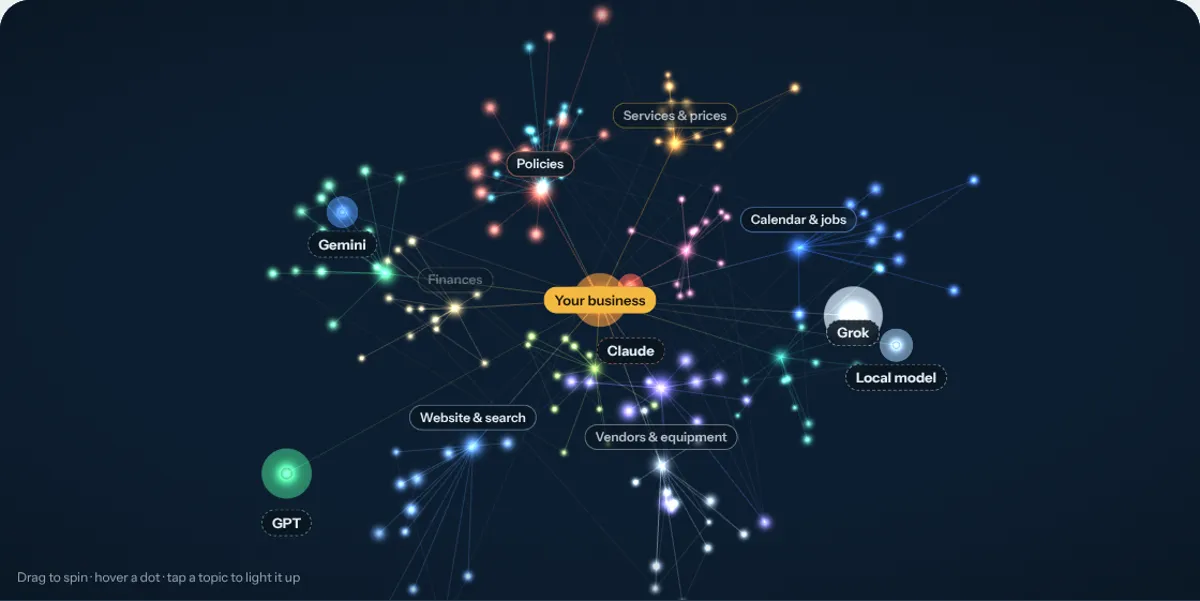
Drag to spin · hover a dot · tap a topic to light it up
Example request
“Put together a spring tune-up promotion for customers we haven’t seen in a year.”
One request. Several models. One finished campaign waiting for your OK.
Every dot is the kind of thing a real second brain holds. Yours would hold your business’s actual details, and grow as you do.
A private, organized knowledge base of your services, prices, policies, procedures, customers and history. Every model reads from the same source, so the work sounds like your company instead of a generic chatbot.
Plain-language instructions decide which model handles research, writing, images, voice or system updates, what each one may access, and what to do when something’s unclear. Swapping a model is a one-line change, not a rebuild.
Secure connectors (MCP, an open standard for plugging AI into apps) and each product’s API link it to your email, calendar, CRM, accounting software, phones, website and files. Sending, paying or publishing can wait for your OK, and every action is logged.
Careful reasoning, long documents and writing, and good at working inside existing systems: CRMs, spreadsheets, files and other software.
Good for: system updates, reports, procedures, custom tools
Handles very long documents and big batches at once, and fits naturally if your business already runs on Google Workspace.
Good for: large document batches, Google Workspace tasks
Natural real-time voice for phone agents, strong writing, image generation and speech-to-text. A versatile all-rounder with a huge ecosystem.
Good for: AI receptionists, marketing copy, images, transcription
Great at internet research and live data: it searches the web as it works, so answers reflect what’s happening right now, not months ago. Handy for spotting trends and keeping an eye on competitors.
Good for: internet research, live data, trends, competitor watch
Run on a computer in your office. No per-use fees: the only ongoing cost is the electricity to power the computer it runs on, and your data never leaves the building. Not as capable as the big cloud models, but great for private, routine work.
Good for: sensitive files, sorting and tagging, offline work
I run my own business on exactly this kind of setup: one second brain with several models wired into it, each doing what it’s best at. I build the same thing for clients, sized to the business and the budget.
The same tools work very differently for a roofer, a dentist and a cabin company. Pick yours and see where I’d start.
HVAC, plumbing, roofing, electrical, pest control, landscaping and contractors
You’re on a roof or under a sink when the phone rings. The money is in catching every call and following up fast.
Good first project: AI phone agent + review automation
Text me about this →Dentists, chiropractors, physical therapy, optometry, med spas and veterinarians
Your front desk is the bottleneck. Every call they don’t have to answer is time back for patients.
Good first project: Booking + reminders, then a security checkup
Text me about this →Restaurants, cafés, bakeries, bars and breweries
Hungry people decide in seconds, on their phone. Your hours, menu and photos have to be right everywhere.
Good first project: Google profile cleanup + a fast menu site
Text me about this →Cabin rentals, hotels, wedding and event venues, campgrounds and attractions
In Sevier County, every booking that goes through a listing site costs you a commission.
Good first project: Direct booking site + AI guest assistant
Text me about this →Agents, brokerages, property managers and apartment communities
Whoever answers first usually wins the client. Speed is the whole game.
Good first project: Instant lead response + CRM cleanup
Text me about this →Attorneys, insurance agencies, accountants and tax preparers
You sell your time. Intake and paperwork shouldn’t eat it.
Good first project: Security checkup + AI intake
Text me about this →Repair shops, body shops, tire shops, used car and powersports dealers
Customers want to book online and know when their car is ready, without calling three times.
Good first project: Booking + texting + reviews
Text me about this →Churches, private schools, daycares and nonprofits
Small staffs, lots of volunteers and a tight budget. The tech has to be simple and cheap to run.
Good first project: Website refresh + Workspace or 365 setup
Text me about this →Boutiques, gift shops, salons, barbers and studios
Foot traffic is great. Repeat customers and online sales are better.
Good first project: Online store or booking + social automation
Text me about this →Call or text (423) 871-3523. You may also see the number written 423-871-3523, 423.871.3523 or 4238713523. Or email contact@stevehurst.net. You get me directly, and if I’m on a job I return every message myself.
Two things. On the IT side, I keep the everyday tech running: computers, Wi-Fi and networks, business phones, email, Microsoft 365 or Google Workspace, backups and security. On the AI side, I set up practical tools that save time or bring in money: an AI phone agent that answers when you can’t, automatic follow-up texts and emails for new inquiries and quotes, a website chat assistant trained on your business, AI-written social posts and ad reports, and connections between the software you already pay for so nobody types the same thing twice. I explain it in plain English and keep it running.
Computer repair, virus removal, office workstations, Wi-Fi, firewalls, backups, Microsoft 365 and Google Workspace, servers and business phone systems, plus monthly care plans. Hardware and network jobs are on-site; most software and AI work is done remotely.
Call or text me. Many problems can be fixed remotely right away. Hardware, network and phone problems get an on-site visit across Knoxville, Sevierville and the towns around them, and care-plan clients get priority response.
Many industry AI services are a subscription wrapped around the same few AI models I build with. You pay their markup, live with their feature list, and stay on the model they picked even after better ones come out. I build the agent around your business, in accounts you own, so you keep control, pay the AI provider directly, and can switch to a better model as soon as one is worth it.
No. I do the setup, testing and training. You get a simple way to use it, a written plan in plain English, and a phone number to call when you have a question.
Custom AI automation starts at $1,999, plus usage fees billed to you directly by the AI provider, with no markup. Websites start at $500, software and CRM integration at $999. You get a flat-rate quote after a free 15-minute call, so there are no surprise bills.
I only recommend projects I expect to pay for themselves: a captured phone call, a customer answered in a minute instead of a day, or hours of data entry removed each week. On the free call we run your real numbers before you spend anything.
It can be, when it is set up carefully. I use business-grade AI services that don’t train on your data, limit what each tool can see, keep passwords out of shared files, and can run private AI on your own hardware when the data is sensitive.
The goal is to take the repetitive work off their plate — data entry, reminders, after-hours calls, first drafts — so your people spend their time on customers and jobs that make money.
Yes. I repair and upgrade business computers and laptops across Sevier County, including Sevierville, Pigeon Forge, Gatlinburg and Kodak, plus Knoxville, Seymour and Maryville: slow PCs, viruses, failed drives, data recovery and new PC setup. You get a straight answer on whether it’s worth fixing.
Cloud VoIP systems like 3CX and others, with call queues, ring groups, phone menus, after-hours routing, voicemail-to-email and call tracking numbers for your ads. I can also put an AI receptionist on the main line so every call gets answered.
Yes. Monthly care plans cover updates and patching, monitoring, backup checks, security basics and priority response, priced by the number of computers and users. Ask for a flat monthly quote on the free call.
I’m based in Seymour, between Knoxville and Sevierville. I work on-site across Knox, Sevier and Blount counties, including Knoxville, Sevierville, Pigeon Forge, Gatlinburg, Maryville, Alcoa, Kodak and Farragut, and remotely anywhere.
Yes. I clean up and connect tools like Zoho CRM, Salesforce, HubSpot, Service Fusion, Jobber, QuickBooks Online, Zapier and Make.com, plus most other software with an API, so customers, jobs and invoices flow between them automatically.
Yes. I build installable web apps that open from a home-screen icon on any phone or tablet, keep working without a signal and sync when it’s back, and update themselves. There are no app-store fees or approval waits, and the same sign-in can cover your office screens and admin tools.
Usually, yes, without rebuilding it. On one recent site I converted over 3,400 images to a modern format, fixed 381 dead buttons and redirected more than 100 outdated pages to new local ones. I’ll check your site for free first and tell you what’s worth doing.
Yes. I build fast websites with local SEO, structured data and AI-readable content, set up and tune your Google Business Profile, and automate review requests — the same signals Google and AI assistants use to decide who to recommend.
Call, text or email. You’ll get me, not a call center, and an honest answer about whether it’s worth doing.
(423) 871-3523Free 15-minute consultation · The quote is the price · Everything stays in your name · After-hours help for emergencies